
(This page includes affiliate links. If you click and purchase, I receive a small commission at no extra cost from you and that way you can support me. I only recommend tools that I have personally used and loved.)
Tutorial Video:
Don’t want to make from scratch? Get the template instead 🙂


Introduction – Grid Reveal with Elementor (Only for desktop)
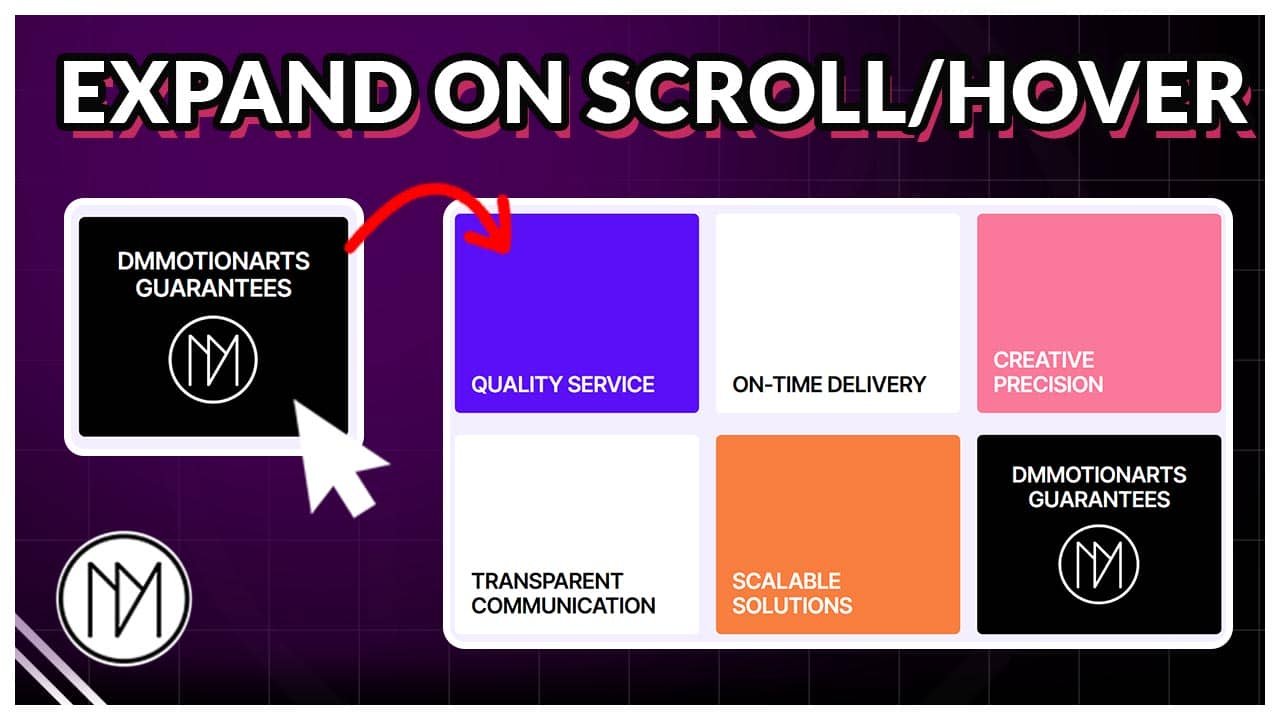
In this tutorial, we will create grid reveal based on scroll OR hover. The hover effect is done using CSS and scroll effect is done using GSAP.
Quality Service
On-Time Delivery
Creative Precision
Transparent Communication
Scalable Solutions
DMmotionarts Guarantees

Quality Service
Scalable Solutions
DMmotionarts Guarantees
Quality Service
On-Time Delivery
Creative Precision
Transparent Communication
Scalable Solutions
DMmotionarts Guarantees
Quality Service
Scalable Solutions
DMmotionarts Guarantees
Version 1a- Grid Reveal Hover Code (6 containers)
- dm-grid-card-wrapper is the CSS class of the grid container and also hover effect starts on this container.
- dm-grid-card is the CSS class of inner containers.
- Height is calculated by min-height with 20px gap in between using CSS (line 9) . We cannot use default Elementor options to set gap and height as we are using position absolute on the inner containers.
- Width is also done in same way. (line 10)
					<style>

 @media(min-width:1025px) {


    .dm-grid-card {

        position: absolute;
        min-height: calc(50% - 20px);
        width: calc(33.3% - 20px);
        left:50%;
        top:50%;
        transform: translate(-50% ,-50%);
        transition: 1s !important;
    }

    .dm-grid-card-wrapper:hover .dm-grid-card:nth-child(1) {

       left:0%;
       top:0%;
       transform:translate(0%, 0%);

    }

    .dm-grid-card-wrapper:hover .dm-grid-card:nth-child(2) {

        top:0%;
        transform:translate(-50%, 0%);

    }

    .dm-grid-card-wrapper:hover .dm-grid-card:nth-child(3) {

       left: 100%;
       top:0%;
       transform:translate(-100%,0%);

    }

    .dm-grid-card-wrapper:hover .dm-grid-card:nth-child(4) {

       left: 0%;
       top:100%;
       transform:translate(0%,-100%);

    }

    .dm-grid-card-wrapper:hover .dm-grid-card:nth-child(5) {

       top:100%;
       transform:translate(-50%,-100%);

    }

    .dm-grid-card-wrapper:hover .dm-grid-card:nth-child(6) {

       left: 100%;
       top:100%;
       transform:translate(-100%,-100%);

    }


 }
</style>
Version 1b- Grid Reveal Hover Code (3 containers)
- dm-grid-card-wrapper-2 is the CSS class of the grid container and also hover effect starts on this container.
- dm-grid-card-2 is the CSS class of inner containers.
- Height is set to be min-height 100% at line 9. This is due to inner elements having position absolute.
- Width has 20px gap in between set at line 10.
					<style>

 @media(min-width:1025px) {


    .dm-grid-card-2 {

        position: absolute;
        min-height: 100%;
        width: calc(33.3% - 20px);
        left:50%;
        top:50%;
        transform: translate(-50% ,-50%);
        transition: 1s !important;
    }

    .dm-grid-card-wrapper-2:hover .dm-grid-card-2:nth-child(1) {

       left:0%;
       transform: translate(0% ,-50%);


    }

    .dm-grid-card-wrapper-2:hover .dm-grid-card-2:nth-child(2) {

        left:100%;
        transform: translate(-100% ,-50%);


    }


 }
</style>
Version 2a- Grid Scroll Reveal Code (6 containers)
- dm-grid-card-main-wrapper-3 is the CSS of the main container that contains the grid container. This container gets sticky on top until animation finishes.
- dm-grid-card-wrapper-3 is the CSS class of the grid container and also hover effect starts on this container.
- dm-grid-card-3 is the CSS class of inner containers.
- Height is calculated by min-height with 20px gap in between using CSS (line 12) . We cannot use default Elementor options to set gap and height as we are using position absolute on the inner containers.
- Width is also done in same way. (line 13)
- You can increase +=100% at line 43 to increase the amount of scrolling required.
If the effect doesn’t work properly, you can enable windows eventlistener at line 33 by removing the //, you also need to remove // at the end at line 72. This would make it so that the code will only start running when whole page is loaded.
					<script src="https://cdnjs.cloudflare.com/ajax/libs/gsap/3.13.0/gsap.min.js" integrity="sha512-NcZdtrT77bJr4STcmsGAESr06BYGE8woZdSdEgqnpyqac7sugNO+Tr4bGwGF3MsnEkGKhU2KL2xh6Ec+BqsaHA==" crossorigin="anonymous" referrerpolicy="no-referrer"></script>
<script src="https://cdnjs.cloudflare.com/ajax/libs/gsap/3.13.0/ScrollTrigger.min.js" integrity="sha512-P2IDYZfqSwjcSjX0BKeNhwRUH8zRPGlgcWl5n6gBLzdi4Y5/0O4zaXrtO4K9TZK6Hn1BenYpKowuCavNandERg==" crossorigin="anonymous" referrerpolicy="no-referrer"></script>


<style>

@media(min-width:1025px) {

    .dm-grid-card-3 {

        position: absolute;
        min-height: calc(50% - 20px);
        width: calc(33.3% - 20px);
        left:50%;
        top:50%;
        transform: translate(-50% ,-50%);
        transition: none !important;
    }

    .dm-grid-card-main-wrapper-3 {


        transition: none !important

    }

}

</style>

<script>

//window.addEventListener("load", (event) => {

let gridCards3MM = gsap.matchMedia();

gridCards3MM.add("(min-width: 1025px)", () => {

  const gridTL3 = gsap.timeline({
    scrollTrigger: {
      trigger: ".dm-grid-card-main-wrapper-3",
      start: "top top",
      end: "+=100%",
      scrub: 1,
      pin: true,
    }
  });

  const dmGridCards3 = document.querySelectorAll(".dm-grid-card-3");

  const positions3 = [
    { left: "0%",   top: "0%",   tx: "0%",    ty: "0%" },
    { left: "50%",  top: "0%",   tx: "-50%",  ty: "0%" },
    { left: "100%", top: "0%",   tx: "-100%", ty: "0%" },
    { left: "0%",   top: "100%", tx: "0%",    ty: "-100%" },
    { left: "50%",  top: "100%", tx: "-50%",  ty: "-100%" },
    { left: "100%", top: "100%", tx: "-100%", ty: "-100%" },
  ];

  dmGridCards3.forEach((card, i) => {
    const p = positions3[i];
    gridTL3.to(card, {
      left: p.left,
      top: p.top,
      transform: `translate(${p.tx}, ${p.ty})`

    }, 0); // all animate at the same time
  });

});

// });

</script>
Version 2b- Grid Scroll Reveal Code (3 containers)
- dm-grid-card-main-wrapper-4 is the CSS of the main container that contains the grid container. This container gets sticky on top until animation finishes.
- dm-grid-card-wrapper-4 is the CSS class of the grid container and also hover effect starts on this container.
- dm-grid-card-4 is the CSS class of inner containers.
- min-height is set to 400px at line 12. You can change this to your requirements.
- Width has – 20px, this controls the gap between inner elements. (line 13) .We do this because we are using position absolute.
- You can increase +=100% at line 43 to increase the amount of scrolling required.
If the effect doesn’t work properly, you can enable windows eventlistener at line 33 by removing the //, you also need to remove // at the end at line 69. This would make it so that the code will only start running when whole page is loaded.
					<script src="https://cdnjs.cloudflare.com/ajax/libs/gsap/3.13.0/gsap.min.js" integrity="sha512-NcZdtrT77bJr4STcmsGAESr06BYGE8woZdSdEgqnpyqac7sugNO+Tr4bGwGF3MsnEkGKhU2KL2xh6Ec+BqsaHA==" crossorigin="anonymous" referrerpolicy="no-referrer"></script>
<script src="https://cdnjs.cloudflare.com/ajax/libs/gsap/3.13.0/ScrollTrigger.min.js" integrity="sha512-P2IDYZfqSwjcSjX0BKeNhwRUH8zRPGlgcWl5n6gBLzdi4Y5/0O4zaXrtO4K9TZK6Hn1BenYpKowuCavNandERg==" crossorigin="anonymous" referrerpolicy="no-referrer"></script>


<style>

@media(min-width:1025px) {

    .dm-grid-card-4 {

        position: absolute;
        min-height: 400px;
        width: calc(33.3% - 20px);
        left:50%;
        top:50%;
        transform: translate(-50% ,-50%);
        transition: none !important;
    }

    .dm-grid-card-main-wrapper-4 {


        transition: none !important

    }

}

</style>

<script>

//window.addEventListener("load", (event) => {

let gridCards4MM = gsap.matchMedia();

gridCards4MM.add("(min-width: 1025px)", () => {

  const gridTL4 = gsap.timeline({
    scrollTrigger: {
      trigger: ".dm-grid-card-main-wrapper-4",
      start: "top top",
      end: "+=100%",
      scrub: 1,
      pin: true,
    }
  });

  const dmGridCards4 = document.querySelectorAll(".dm-grid-card-4");

  const positions4 = [
    { left: "0%",   top: "50%",   tx: "0%",    ty: "-50%" },
    { left: "100%",  top: "50%",   tx: "-100%",  ty: "-50%" },
    { left: "50%",  top: "50%",   tx: "-50%",  ty: "-50%" },
  ];

  dmGridCards4.forEach((card, i) => {
    const p = positions4[i];
    gridTL4.to(card, {
      left: p.left,
      top: p.top,
      transform: `translate(${p.tx}, ${p.ty})`

    }, 0); // all animate at the same time
  });

});

// });

</script>