(This page includes affiliate links. If you click and purchase, I receive a small commission at no extra cost from you and that way you can support me. I only recommend tools that I have personally used and loved.)
Tutorial Video:
Don’t want to make from scratch? Get the template instead 🙂
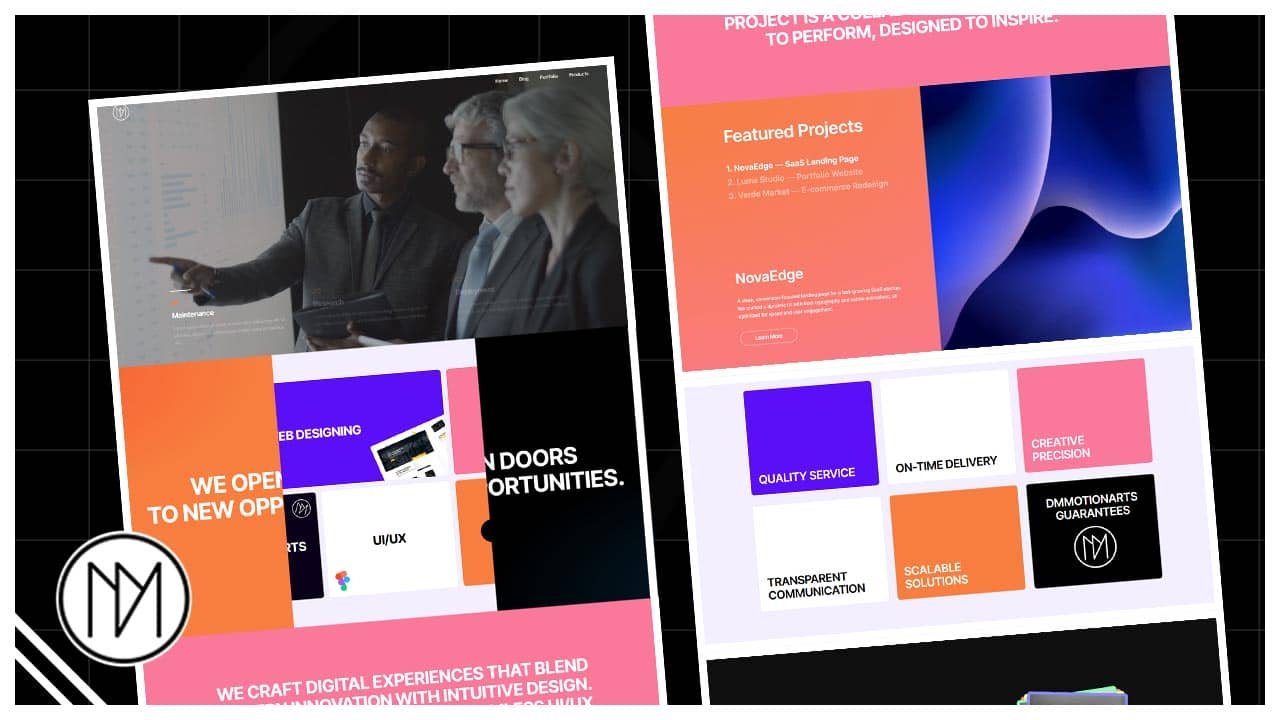

Introduction – Door Reveal with Elementor And GSAP
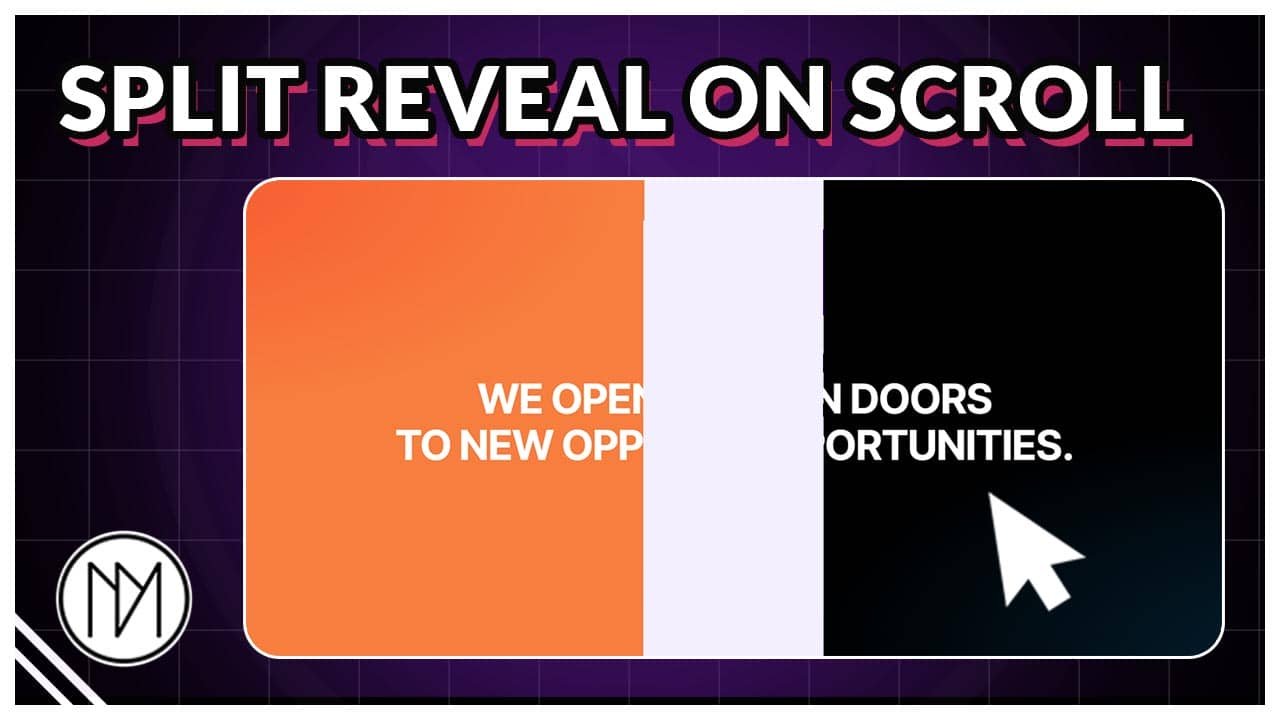
In this tutorial, we will create a reveal based on scroll to show inner content. 2 options available, horizontal reveal and vertical reveal.
We Open Doors
To New Opportunities.
We Open Doors
To New Opportunities.
Web designing


printing
dmmotionarts

ui/ux

Learn More
We craft digital experiences that blend modern innovation with intuitive design. From striking websites to seamless UI/UX, our work is built for brands that demand impact, clarity, and connection. Each project is a collaboration—engineered to perform, designed to inspire.
We craft digital experiences that blend modern innovation with intuitive design. From striking websites to seamless UI/UX, our work is built for brands that demand impact, clarity, and connection. Each project is a collaboration—engineered to perform, designed to inspire.
our process


Research
Lorem ipsum dolor sit amet, consectetur adipiscing elit. Ut elit tellus, luctus nec ullamcorper mattis, pulvinar dapibus leo.
design
Lorem ipsum dolor sit amet, consectetur adipiscing elit. Ut elit tellus, luctus nec ullamcorper mattis, pulvinar dapibus leo.
testing
Lorem ipsum dolor sit amet, consectetur adipiscing elit. Ut elit tellus, luctus nec ullamcorper mattis, pulvinar dapibus leo.
deployment
Lorem ipsum dolor sit amet, consectetur adipiscing elit. Ut elit tellus, luctus nec ullamcorper mattis, pulvinar dapibus leo.
Vertical Door Reveal Code
- dm-door-wrapper is the CSS class of the main container that contains Left container, Right container and inner contents container.
- dm-door-left is the CSS class of the container on the left.
- dm-door-right is the CSS class of the container on right.
- clip-path can be changed for different layouts.
					<script src="https://cdnjs.cloudflare.com/ajax/libs/gsap/3.13.0/gsap.min.js" integrity="sha512-NcZdtrT77bJr4STcmsGAESr06BYGE8woZdSdEgqnpyqac7sugNO+Tr4bGwGF3MsnEkGKhU2KL2xh6Ec+BqsaHA==" crossorigin="anonymous" referrerpolicy="no-referrer"></script>
<script src="https://cdnjs.cloudflare.com/ajax/libs/gsap/3.13.0/ScrollTrigger.min.js" integrity="sha512-P2IDYZfqSwjcSjX0BKeNhwRUH8zRPGlgcWl5n6gBLzdi4Y5/0O4zaXrtO4K9TZK6Hn1BenYpKowuCavNandERg==" crossorigin="anonymous" referrerpolicy="no-referrer"></script>


<style>

    .dm-door-wrapper {

        transition: none !important;

    }

    .dm-door-left {

     clip-path: polygon(0 0, 50% 0, 50% 100%, 0% 100%);
        transition: none !important;
    }

    .dm-door-right {

     clip-path: polygon(49.8% 0, 100% 0, 100% 100%, 49.8% 100%);
     transition: none !important;

    }


</style>

<script>

//window.addEventListener("load", (event) => {

    const dmDoorTL = gsap.timeline({

       scrollTrigger: {

         trigger: '.dm-door-wrapper',
         start:'0% 0%',
         end:'+=200%',
         scrub:1,
         pin:true

       }

    });


    dmDoorTL.to('.dm-door-left', {

       x:'-55%'

    },0.1);

    dmDoorTL.to('.dm-door-right', {

       x:'55%'

    },0.1);

//   });


</script>
Horizontal Door Reveal Code
- dm-door-wrapper-2 is the CSS class of the main container that contains Top container, Bottom container and inner contents container.
- dm-door-left-2 is the CSS class of the container on the top.
- dm-door-right-2 is the CSS class of the container on bottom.
- clip-path can be changed for different layouts.
					<script src="https://cdnjs.cloudflare.com/ajax/libs/gsap/3.13.0/gsap.min.js" integrity="sha512-NcZdtrT77bJr4STcmsGAESr06BYGE8woZdSdEgqnpyqac7sugNO+Tr4bGwGF3MsnEkGKhU2KL2xh6Ec+BqsaHA==" crossorigin="anonymous" referrerpolicy="no-referrer"></script>
<script src="https://cdnjs.cloudflare.com/ajax/libs/gsap/3.13.0/ScrollTrigger.min.js" integrity="sha512-P2IDYZfqSwjcSjX0BKeNhwRUH8zRPGlgcWl5n6gBLzdi4Y5/0O4zaXrtO4K9TZK6Hn1BenYpKowuCavNandERg==" crossorigin="anonymous" referrerpolicy="no-referrer"></script>

<style>
    .dm-door-wrapper-2 {
        transition: none !important;
    }

    .dm-door-left-2 {
        clip-path: polygon(0 0, 100% 0, 100% 50%, 0 50%);

        transition: none !important;
    }

    .dm-door-right-2 {
        clip-path: polygon(0 49.8%, 100% 49.8%, 100% 100%, 0% 100%);

        transition: none !important;
    }
</style>

<script>

//window.addEventListener("load", (event) => {

    const dmDoorTL2 = gsap.timeline({
        scrollTrigger: {
            trigger: '.dm-door-wrapper-2',
            start: '0% 0%',
            end: '+=200%',
            scrub: 1,
            pin: true
        }
    });

    dmDoorTL2.to('.dm-door-left-2', {
        y: '-51%'
    }, 0.1);

    dmDoorTL2.to('.dm-door-right-2', {
        y: '51%'
    }, 0.1);

    dmDoorTL2.to(['.dm-door-left-2', '.dm-door-right-2'], {
    opacity: 0 ,
    duration:0.1
    }, "<0.3");

//    });
</script>