(This page includes affiliate links. If you click and purchase, I receive a small commission at no extra cost from you and that way you can support me. I only recommend tools that I have personally used and loved.)
Tutorial Video:
Don’t want to make from scratch? Get the template instead 🙂


Introduction – Destacking Cards with Elementor and GSAP
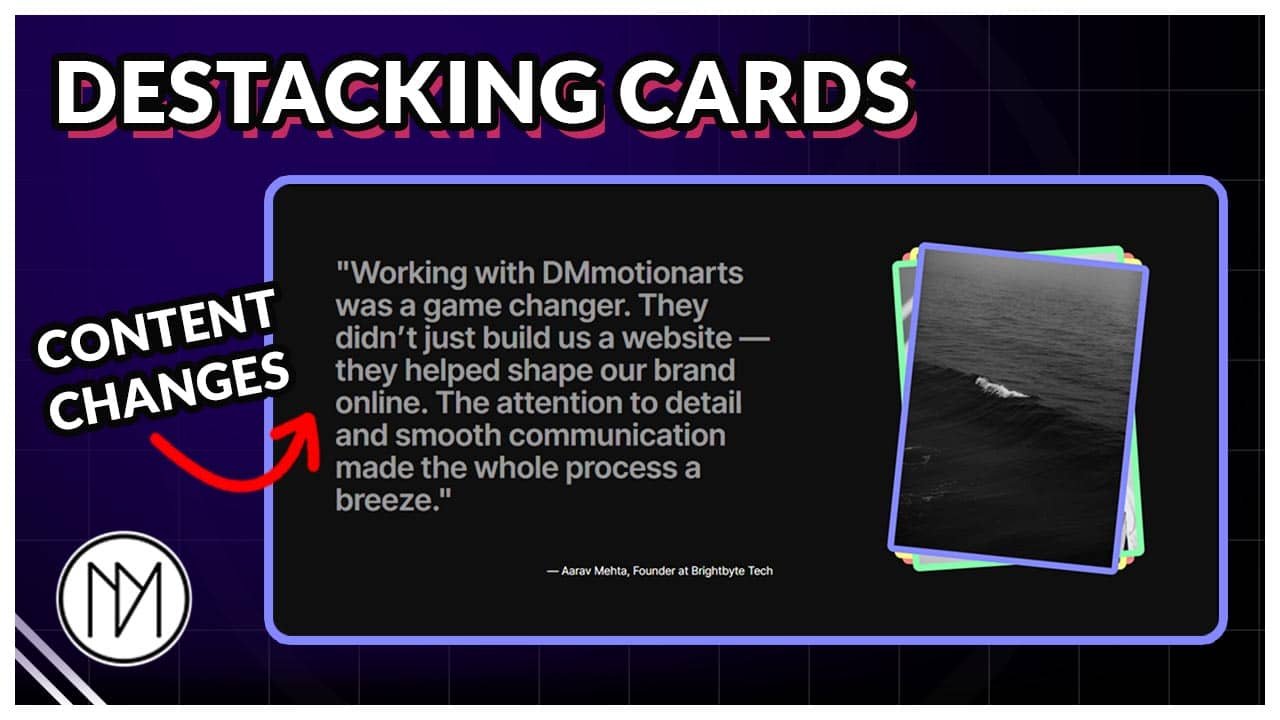
In this tutorial, we will create cards that destack as we scroll while also changing the content beside it.
"Working with DMmotionarts was a game changer. They didn’t just build us a website — they helped shape our brand online. The attention to detail and smooth communication made the whole process a breeze."
— Aarav Mehta, Founder at Brightbyte Tech
"I’ve worked with multiple agencies, but none matched the creativity and professionalism of DMmotionarts. They nailed our vision perfectly and delivered even ahead of schedule!"
— Sophia Ray, Creative Director at Luma Studio
"From the first call to final delivery, the team was incredibly responsive and solution-focused. The UI/UX they delivered dramatically improved our user retention."
— Jake Thompson, Product Manager at Verde Market
"The animations, layout, and overall flow were beyond what we imagined. DMmotionarts truly understands digital storytelling and how to engage users."
— Riya Sharma, Marketing Lead at NovaEdge



Reverse Stacking Cards with Content Switcher Code
- dm-stack-cards-wrapper-3 is the CSS class of the main container that contains 2 inner containers.
- dm-stack-card-3 is the CSS class of the right image containers.
- dm-stack-content-3 is the CSS class of the left container.
- To understand customization, please watch the above video.
Remove // at line 35 and 77 if the effect does not work properly. This would make it so that the effect only loads when the whole page is loaded completely.
					<script src="https://cdnjs.cloudflare.com/ajax/libs/gsap/3.13.0/gsap.min.js" integrity="sha512-NcZdtrT77bJr4STcmsGAESr06BYGE8woZdSdEgqnpyqac7sugNO+Tr4bGwGF3MsnEkGKhU2KL2xh6Ec+BqsaHA==" crossorigin="anonymous" referrerpolicy="no-referrer"></script>
<script src="https://cdnjs.cloudflare.com/ajax/libs/gsap/3.13.0/ScrollTrigger.min.js" integrity="sha512-P2IDYZfqSwjcSjX0BKeNhwRUH8zRPGlgcWl5n6gBLzdi4Y5/0O4zaXrtO4K9TZK6Hn1BenYpKowuCavNandERg==" crossorigin="anonymous" referrerpolicy="no-referrer"></script>


<style>

    .dm-stack-cards-wrapper-3 {

        transition: none !important;

    }

    .dm-stack-card-3 {

        transition: none !important;
    }

    .dm-stack-content-3 {

        opacity: 0;
        pointer-events: none;

    }

    .dm-stack-content-3.active {

        opacity: 1;
        pointer-events: auto;
    }

</style>

<script>

//window.addEventListener("load", (event) => {

 const dmMobile = window.innerWidth < 1025; // Check device width

const dmStackCards3 = Array.from(document.querySelectorAll('.dm-stack-card-3')).reverse();
const dmStackContents3 = document.querySelectorAll('.dm-stack-content-3');
const totalCards = dmStackCards3.length;

const tl = gsap.timeline({
  scrollTrigger: {
    trigger: '.dm-stack-cards-wrapper-3',
    start: 'top top',
    end: `+=${totalCards * 50}%`,
    scrub: 1,
    pin: true,
  }
});

dmStackCards3.forEach((dmCard, i) => {
  const fadeInTime = i;
  const fadeOutTime = i + 1;

  // Fade in current content
  tl.to(dmStackContents3[i], {
    opacity: 1,
    pointerEvents: "auto"
  }, fadeInTime);

  if (i < totalCards - 1) {
    // Fade out current content (not for last one)
    tl.to(dmStackContents3[i], {
      opacity: 0,
      pointerEvents: "none"
    }, fadeOutTime - 0.2);

    // Move current card up (desktop) or sideways (mobile)
    tl.to(dmCard, {
      [dmMobile ? "x" : "y"]: dmMobile ? "-100vw" : "-100vh"
    }, fadeOutTime);
  }
});

// });

</script>